
Tech Tip - MPEGRepair and Expert-Caption Batch Commands
Customizing Command Mode
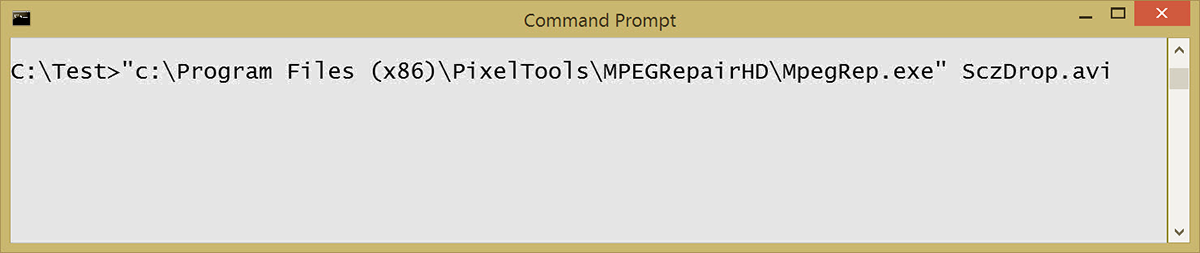
PixelTools’ MPEGRepairHD and Expert-Caption products can can be run in the Batch Command mode. Specific
parameters can be customized in the MpegRep.ini of ExpCap.ini in the program’s launch
folder.
The following flags can also custom
ize the operation of the tool.
MpegReparHD has the same batch functionality as Expert-Caption if:
MPEGRepair | Configure Decode | Fix Stream | Add Closed Captions from File is checked
and
Closed Captioning Format is set to CEA708 DTV & NTSCin the MpegRep.ini file.
Batch command format:
[MpegRep or ExpCap] [flags] [Input Files]
Encoding
flag = none
MpegRep Source.AVI
Encode Source.AVI using default parameters
Decoding
flag = -d
MPEGRep -d Source.mpg
Decode/Spit/Extract frames of Source.mpg using default parameters
Analyzing
flag = -z
MPEGRep -z Source.mpg
Analyze Source.mpg and save analysis in Decode.log
Appending
flag = -a
MPEGRep -a File01.mpg
Appends File01.mpg File02.mpg etc into File.mpg
Captioning
flag = none (with “Add Closed Captions From File” set in ini and source file suffix is .mpg)
optional flag = -dc to cause app to exit if file already captioned
MPEGRep Source.mpg
Adds captions defined in Source.scc into Source.mpg
Extract Captions
flag = -cx
ExpCap -cx File.mpg
Extracts Files from File.mpg and saves as specified in ini file
Multiplexing
flag = none (with “Mux video only” set in ini)
MpegRep Elemvideo.vbs
Multiplex Elemvideo.vbs with audio file defined in the ini
Transcode MXF with captions to MPEG with captions
flag = -mx
MpegRep -mx Source.mxf
Converts MXF file to captioned MPEG video and audio in transport. Captions can be inserted from MXF caption track or caption file.
Transcode LXF file to MPEG Transport with audio
flag = -lx
MpegRep -lx Source.lxf
Converts LXF file to MPEG program or transport stream with audio
Audio Encoding
flag = ae
MpegRep -ae Source.wav
Encodes .wav file into MPG or Ac3
Audio Decoding
flag = ad
MpegRep -ad Source.mpa
Decodes Source.mpa into Source.wav
Batch Operation Notes
The batch commands work with all PixelTools apps. Substitute the app name for MpegRep in the above examples.
The PixelTools apps use their default ini in their launch folder to set up the parameters before the processing. You can prepare parameters for each of your desired configurations, save as a custom ini and copy that ini over the app’s default ini.
You can process all .mpg files in a folder using the batch command:
FOR %%j IN (*.avi) DO Call EncodeFile %%j
where EncodeFile.bat contains a call to MPEGRep.exe: MpegRep %1

Visit our products page and check out at our PixelTools Store to purchase any of our products
Let us know if we can help or request a free demo of our products. View our products features at a glance.
MPEGRepairHD and ExpertHD are trademarks of PixelTools Corporation. All other brand names are trademarks or registered trademarks of their respected holders.
Thank you for your interest in PixelTools


